Hands-On Review--Morpheus Photo Animation Suite for Mac
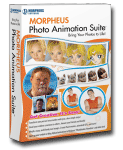 If you like to have fun with your digital photos, the new Morpheus Photo Animation Suite for the Mac may be just your cup of tea. Morpheus Photo Animation Suite, now in V3.0.1, was released last month and is a universal binary so it runs natively on Intel-based and PowerPC-based Macs. It was created by Morpheus Software and is distributed by SmithMicro Software.
The suite comes with three fun applications: Photo Morpher, Photo Warper and Photo Mixer. The three applications are merged as one in the Suite edition of this popular set of programs and one simply switches among them without having to open separate applications. Included are 15 sample morphs, warps and mixes.
Photo Morpher uses two photos. It starts with one photo and with animation morphs into the second one. We primarily used this application to check out how easy Morpheus Photo Animation Suite for the Mac is to set up and use.
Photo Warper uses one photo. It starts with the original photo and with animation morphs into a distorted version of the original that you have created. With this, one can easily make a person in a photo look slimmer or distorted in any way that you choose.
Photo Mixer is a compositing application. Using two photos, one can mix up or blend parts of the two photos into one composite photo.
Morpheus Photo Animation Studio allows one to email the result to someone or post it to the Morpheus Web site just by selecting from the Share menu. One can also save the result using Render Timeline under the File menu as an animated gif, Flash SWF, QuickTime movie or uncompressed .avi file for morphs or warps or as a .jpg, .png, .tiff or .bmp file for mixes. There are other file formats as well.
Use
Morpheus Photo Animation Suite comes on a CD as a .pkg file. Just double-click on it and the standard Mac OS X installer opens to install Morpheus Photo Animation Suite in your Applications folder. Our copy installed without a hitch.
We launched the application and entered the software key located on the back of the CD jacket. We were presented with the Morpheus Photo Animation Suite wizard that asked us what we wanted to do so we selected create a new morph. Then a window popped up where we select the starting and ending digital image or photo. One slight knock is that one can not simply drag and drop the images, one has to use the picture button and navigate to the images on your hard drive.
After the two images were loaded, Morpheus Photo Animation Suite opens the user interface, displaying large images of the start and finish images side-by-side, a Preview window and a Wizard window listing the three simple steps with instructions to create the morph: Place Dots, Adjust Dots and Viewing Your Morph. We discovered that you really can't go wrong and once you get the hang of it, you can turn the wizard off.
First, you simply place dots on the starting image by choosing the Place Dots tool and clicking on places in the starting image. Dots are placed on and around the main features of the starting image and corresponding dots show up on the ending image. The more dots you place, the smoother will be the morph.
Second, you adjust the dots on the ending image by selecting the Move Dots tool so that they correspond to its main features. One can also zoom in/out and pan to place the dots precisely.
Third, you view the morph by clicking on the play button (green triangle) in the Preview window or by selecting Play in the Preview menu. You can go back an add more dots or adjust them as needed until you have a cool-looking and smooth morph.
We found Morpheus Animation Suite to be very easy to use and made a couple of quick morphs, saving one as an animated .gif (pirate flag to Macs Only!'s original logo) and another as a QuickTime movie (aluminum iMac to Macs Only!'s original logo) displayed below.

Don't take our quick attempts as examples of how good one can do with Morpheus Photo Animation Suite. Morpheus has many terrific examples on their Web site. We just wanted to determine how easy it is to make a morph using the application and, indeed, it is very simple.
As you get better at making morphs, warps and mixes, Morpheus Photo Animation Suite has options that give you much greater control over the animation for tweaks beyond the default values. We used the options to slow down the morphs above and the include a slight start and finish delay in the QuickTime movie example.
In Summary
Morpheus Photo Animation Suite is much easier to use than we had expected. It is really so simple to use that anyone should be able to have loads of fun with their digital images and photos. Morpheus Photo Animation Suite, while amazingly simple, is also quite powerful with a number of options for advanced users and professionals alike. It is also inexpensive at an SRP of $59.95 from Morpheus Software but SmithMicro is currently offering a $20 discount to $39.99. [Bill Fox]
Saw something? Send a tip or a correction
The archive ran on reader tips. What did you see, where, and do you want the credit? Something wrong on this page? Say so and it gets fixed.