Review of PowerPrint for Networks

Hands-On Review: PowerPrint For Networks
By Bill Fox
Date 1999
Infowave. Price: $249 list, $189 upgrade
Pros: Works perfectly, easy to set up and use, works with over 1600 printers, excellent tech info data base
Cons: A bit pricey,
Rating: 4.8 out of 5 Exclamation Points: ! ! ! ! !
PowerPrint has long been a terrific solution by for printing from a Mac to a printer with only a pa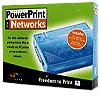 rallel port, i.e. most printers on the market since forever and almost all for the past several years. PowerPrint allows the use of over 1600 laser, inkjet, bubblejet and impact printers to be used with Macs. Previous PowerPrint versions have been favorably reviewed (e.g. PowerPrint USB) on Macs Only! However, most PowerPrint versions, serial-to-parallel or USB-to-parallel were primarily a single computer/printer solution. Now, just in time to catch the rapid rise in inexpensive home/small office ethernet networking of two or more computers, Infowave has shipped PowerPrint for Networks (PPN). PPN connects a parallel port printer to an ethenet network.
Infowave provided an evaluation unit of PPN to conduct this review.
What You Get
PPN is a 10/100Base-T ethernet print server in a small (4" x 5" x 1") translucent blue box. PPN needs a power supply and has an RJ-45 ethernet port on one end and a DB-25 port on the other. The kit that comes with the server includes a power supply, a DB-25 to C36 parallel cable, a CD ROM and a manual. Note that it does not come with an ethernet cable so one the right length and type has to be purchased separately to connect to your ethernet network.
The CD ROM contains the PowerPrint drivers and an excellent PowerPrint Tech Info data base. The data base has 180 technical articles with 15 listed separately as a FAQ. The data base is built with Filemaker Pro 3.0 and it includes a key word search engine.
The "QuickStart Guide" is a pretty complete manual that decribes the simple setup, troubleshooting, technical support contacts, end user license agreement and a 30-day return policy.
Installation
The minimum requirements to use PPN are Mac OS 7.5.3, 8 MB of RAM, a CD-ROM drive and a PowerPrint compatible printer. There are over 1600 such printers.
There are three simple steps: assemble the hardware, install the software and configure the Chooser. First connect the print server to the parallel port on a printer and to an ethernet hub using the appropriate cables. Then plug the power supply into an electrical outlet and connect the power supply to the PowerPrint print server.
To install the software first insert the CD and click on the "Start Here" application. Look up the printer to determine the correct print driver. If you can't find it, try the Printer Compatibility .pdf file on the CD and then Infowave's web site. Install the correct print driver by launching the PowerPrint Installer , selecting the correct driver and rebooting. Then open the Chooser, select the PowerPrint print driver, select the print server (its serial number) in the printer list window, select background printing and close the chooser. The CD also includes an application called "Infowave Namer" that can be used to rename the print server from the serial number to any name you wish. That's it.
If you have problems, technical support consists of the data base on the CD and one free technical support incident by phone to Infowave's non-free number in Canada. You can also subscribe to fee-based support by paying US$10 per incident or paying US$49 for unlimited annual tech support incidents during a year.
If you have used PowerPrint before, there is no difference in look or use. The dialog boxes are the same as PowerPrint 4.5 and PowerPrint USB.
Use
I used PowerPrint for Networks on my ethernet network for over a month. The network consists of 2 5-port hubs, an Epson Color Stylus 500 inkjet printer and 4 Macs and a clone: B&W PowerMac G3, PowerBook 2400c, PowerMac 9600, PowerComputing PowerBase and a PowerMac 7100 all running Mac OS 8.6. I am also connected via ethernet to cable internet service.
First, I checked the two issues with PowerPrint USB noted in Macs Only!'s review. Both issues are gone in PowerPrint for Networks v4.5.9. I had no problem printing from Netscape Communicator 4.6.1's browser window nor from an open Outlook Express 4.5 email document.
There were no problems printing from any of the Macs. The manual ststes that PCs using Windows on the network can also print if they have a driver to do so--I didn't test this as my PC is currently (maybe forever) inoperable following an upgrade attempt.
The print speed with PPN is as fast or faster than with any prior version of PowerPrint. It only takes a few seconds to spool a single page of text and then the printer, an Epson Color Stylus 500, prints as fast as it will go. The print quality is equally as good as I have experienced with previous PowerPrint versions which is as good or better than Epson's own drivers produce.
The only issue that I experienced during the test period for the review was periodic but relatively infrequent problems with losing my cable modem internet connection. It would occasionally happen while my main computer was on and actively using the internet but it usually happened when all computers we off. After a startup I would have to reinitialize the cable modem and restart the main computer to re-establish the connection. To be fair, I am not certain that PPN had anything to do with this. It happened with and without PPN connected but was clearly more frequent when PPN was connected. When queried, Infowave tech support said they had no problems with their cable modem internet connection. However, PPN's LED constantly flashes and the cable modem's RD/SD LED's flash in unison. So when I get a chance, I am going to try isolating my ethernet network from the cable modem via a second ethernet port in one of the computers. Fortunately, Small Dog recently had a $29 deal on Apple 10/100Base-T ethernet PCI cards.
Conclusions
Once again Infowave has created a superb printing solution for Mac users. PowerPrint for Networks is an excelent addition to PowerPrint 4.5 (Apple serial to parallel) and PowerPrint USB (USB to parallel). PPN is easy to set up and use. It works as advertised without a hitch and brings ethernet network printing to cheaper parallel port printers that do not have built-in ethernet. With the price at $249, however, I suspect PPN will find its way into more businesses than homes with ethetnet networks. Those with Epson printers have the AXIS which lists for $129 as an alternative. Still, PPN is portable, i.e. one can use PPN with almost any parallel port printer so replacement printers can be most any brand and they won't need built-in ethernet either and that feature adds significant value. The technical information data base that comes with PPN should answer most questions and most people shouldn't need the somewhat expensive telephone technical support. All in all, Macs Only! highly recommends PowerPrint for Networks for those who need an ethernet connection to a parallel port printer.
Copyright © 1999 by Bill Fox
All rights reserved--no use permitted without attribution.
Of course . . .
Saw something? Send a tip or a correction
The archive ran on reader tips. What did you see, where, and do you want the credit? Something wrong on this page? Say so and it gets fixed.