Hands-On Report on Mac OS X
|
Hands-On Report:
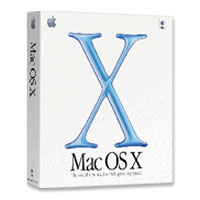
Mac OS X (v10.0) By Bill Fox Apple Computer, Inc. Price: $129 list, $99 special Mac OS X (that's "ten" folks) v10.0 is finally here. We've been waiting for this moment since early 1996 when we bought our first Power Mac, a discontinued 7100/80, mainly so that we could be certain to run Apple's new modern operating system code-named Copland. That was the promise--then. That happened twice more as we upgraded to a Power Computing PowerBase 180 and a Power Mac 9600. Each time Apple had announced that it's new modern operating system would run on the then currently shipping Macs but we didn't believe the promises any more. Mac OS X is "not supported" on any of them. However, Mac OS X is supported on all G3-native Macs except for the original PowerBook G3, a 3400 with a G3 CPU. Apple has posted an official list of supported Macs. What You Get The retail box includes the Mac OS X CD, a Mac OS 9.1 CD and a Mac OS X Developer Tools CD. The latter surprised us but is a nice touch. While the Mac OS 9.1 CD included with our box is not sufficiently up-to-date to boot the new Power Mac G4 (Digital Audio) lineup and PowerBook G4, the bootable Software Install CD included with those Macs is Mac OS 9.1. The Mac OS X CD contains Mac OS X 10.0 in seven languages. The box also includes a beautifully illustrated manual that covers the basics. Look for a plethora of third-party books on the details of Mac OS X in the near future. Preparation and Installation Apple recommends copying down your internet connection and email settings plus your iTools name and password because these are asked for at the end of installation during running of the Setup Assistant. If you don't have an iTools account, one may be established by the Setup Assistant. We recommend doing so since Apple is using iTools' iDisk as an additional software distribution medium. We installed Mac OS X on our 450 MHz G4 Cube (192 MB RAM) and Power Mac G4 533 DP (512 MB RAM). The installation went very smoothly on both, taking some 20 minutes each. We encountered no difficulties with either. However, we were unable to install Mac OS X on our Power Mac 7300 upgraded with a 400 MHz G3 CPU or our Power Mac 8500 with a 250 MHz 604e CPU. The 7300 ran the Public Beta without a hack but we encountered either a dialog box stating incompatibility when clicking the installer icon on the CD or a broken folder icon when trying to boot from the Mac OS X CD. Here is Ryan Rempel's hack if you want to try it on your 7300-9600. [Fred Kinder] We were also unable to install Mac OS X on a 450 MHz Blue & White Power Mac G3--we got a freeze while the Mac OS X CD was loading. We suspect that the problem may lay with the 3dfx Voodoo5 graphics card or the drive being connected to a Sonnet Tempo IDE PCI card rather than the main drive--we decided to leave the B&W G3 running Mac OS 9.1 for now. The Cube's main 20 GB drive had been partitioned into three partitions when we got it in preparation for Mac OS X. The Mac OS X partition containing the Public Beta was initialized and a fresh, fully updated copy of Mac OS 9.1 was installed. Then the few applications that are used frequently were also installed. Finally, Mac OS X was installed. This order is necessary since one can not install Mac OS 9.1 after Mac OS X. The second partition holds all applications and Mac OS 9.1 and the third has a minimal Mac OS 9.1 system folder and several disk management utilities. We backup to an external FireWire hard drive. For the Power Mac 533 DP we installed Mac OS X on a partition on the internal IDE drive set up as a slave to the main or master IDE drive, largely just to be different from the Cube setup. We followed the same procedure as we did with the Cube, first installing Mac OS 9.1 and frequently-used applications on the drive partitiion, then Mac OS X. A separate Mac OS 9.1 with all applications is on the main (master) internal IDE drive along with a small emergency partition like on the Cube. We back up to another partition on the internal IDE drive set up as a slave to the master drive. We have a separate Mac OS 9.1 drive or partition on each computer because not all applications, e.g. online games, currently work under OS X's Classic Mode, OS X is not yet complete and OS X drivers are not yet available for all hardware. In other words, Mac OS X is not yet ready for full commitment. Hopefully, this will come this summer. We put Mac OS X, 9.1 and the principal applications on the same partition to minimize problems we encountered using the Public Beta working across drives with Mac OS 9.1 system folders on them. We also advise against having aliases in the Startup Items folder of 9.1 on the OS X partition or any other application that runs at startup because we found that they can hang or cause other startup problems in Classic Mode with the Public Beta. A week later we installed Mac OS X on a 400 MHz PowerBook 2000 (FireWire) with 320 MB RAM and an original 400 MHz iMac DV SE with 192 MB RAM. The installation went perfectly on both but took a bit longer than the G4s, about 30 minutes. We used the same three partition scheme on the PowerBook but used only one partition on the iMac for simplicity. We just use the iMac for web browsing, email and general productivity. All three uses have excellent Mac OS X-native applications (OmniWeb 4.0, Apple Mail and AppleWorks 6.1) so we won't be making much use of Mac OS X's Classic Mode on the iMac. General Use Mac OS X 10.0's Finder seems faster to us than the Public Beta version's. However, it is still not as snappy as working with Mac OS 9.1 on these fast G4 computers. The rearrangements and modifications made as a result of the Public Beta feedback noticeably improved OS X's ease of use for those familiar with prior Mac OS versions. 10.0 is much more like its predecessors than was the Public Beta. There were a lot of complaints about the Public Beta's Dock too easily popping up when minimized and hidden when the pointer came close to the bottom of the desktop. Apple fixed this but at first we found it annoyingly difficult to pop up the Dock when it is minimized and hidden with magnification on. We learned that we had to wait a half second with the pointer still at the very bottom of the screen for the dock to pop up. After considerable use we think this is a substantial improvement. The Apple logo has moved from the center of the menu bar to the left and has become a menu for global actions. Mac Observer has a good collection of photographs (not conventional screenshots) of the Mac OS X interface and installation screens. Currently, there are few major Mac OS X carbonized applications and even fewer cocoa native apps so much of one's work in the near future beyond email and web browsing with be done in OS X's Classic Mode. The biggest exception is Apple's carbonized productivity suite, AppleWorks 6 which has been updated v6.1 Preview 2 as a beta cocoa application. The Classic Mode in 10.0 works extremely well, a major advance over the Public Beta. Accessing applications in Classic Mode from an alias in OS X's applications window is fairly seamless, only the OS X 10.0 to OS 9.1 menu bar and window border changes give it away. One can view running native and Classic applications side by side and cut and paste between them. One can not, however, copy Internet Explorer 5.1 URLs and paste them but this is unique to IE and not an OS X issue. But how fast are applications running in Classic Mode? In our view they seem to run about the same as in 9.1 alone. Here are some benchmarks that we ran in OS 9.1 alone and in OS X's Classic Mode on the Cube and the 533 DP:
*Disk scores on the 533 DP are not comparable. na=not available or not applicable. These results are very impressive. MacBench 5.0 scores, the time to launch netscape Communicator 4.76 and for the homepage to load and the time to scroll through a 136-page PDF document (Virtual PC 4's manual) laden with images using Adobe Acrobat Reader are virtually identical with a couple of notable exceptions. Disk speed is much faster in Classic Mode on the Cube. Note however that the 533 DP's disk results are not comparable because Mac OS X is installed on a faster SCSI disk. The Graphics (1024x768) score in Classic Mode on the Cube is much lower. The Publishing Graphics score is also much lower for the Classic Mode on the 533 DP. Using Cinebench 2000, a 3D performance benchmark application, the scores are similar except for Shading using OpenGL--Classic Mode is much slower on both the Cube and 533 DP. Cinebench would not run the dual processor rendering test in Classic Mode on the 533 DP showing that Classic Mode isn't perfectly compatible. Walker 1.2 tests QuickDraw speed. It is much slower in Classic Mode. Quake III Arena v127 is the latest popular 3D game. It runs in both single player and online multiple player modes on Mac OS X under Classic Mode, a surprise. The frame rates suffer, however, according to Demo127 (1024x768, 32 bit, high settings). Quake uses OpenGL drivers which also did poorly in Classic Mode with Cinebench 2000. We haven't had time yet to try other games that run RAVE drivers like Unreal and Unreal Tournament. Most graphics are significantly slower running in Classic Mode on our Cube (ATI Rage 128 Pro card) and 533 DP (NVIDIA GeForce2 MX card). During the past week of use we discovered that setting the display preference for thousands of colors instead of millions greatly increased graphics speed in tests and, more importantly, doing so significantly increased the speed of Mac OS X Finder operations. Here are the results of a couple of benchmarks on our PowerBook and iMac at 1024x768 resolution:
Hopefully, major graphics applications will be at least carbonized by summer and then won't have to run in Classic Mode. Networking Internet connections generally worked perfectly on our ethernet/AirPort local area network (LAN) connected to a cable modem and RoadRunner internet service. Both native (Internet Explorer 5.1, Omniweb 4.0 and Apple Mail) and Classic Mode (Netscape 4.76, Netscape Calendar and Outlook Express 5.02) browsers and emailers work fine. However, we occasionally had an unexplained lapse in Mac OS X's ability to make connection. A repeatable lapse occured following turning off AirPort. AirPort is built into Mac OS X 10.0. We were able to make a connection to the internet from our 533 DP with an AirPort card through our Apple Base Station which is running v1.3 of the AirPort software. This will be good news for a lot of people with AirPort networks. We are able to connect from our 533 DP to other Macs running Mac OS 9.1 on our LAN with their File Sharing control panel set to use TCP/IP. We were also able to do the reverse most of the time. However, the 533 DP running Mac OS X occasionally shows up in the other Macs' Chooser but highlighting it and clicking the OK button failed when we were prompted to enter a password with a dialog box saying the connection was broken. At those times we also tried entering the 533 DP's IP address directly but got an endless "Connecting" dialog box. We were also unable to set up via Mac OS X's Print Center our Epson 740 printer when connected to our LAN using Strydent's PowerPrint for Networks--a new driver is needed. However, we were able to still print over the LAN in Classic Mode. We were able to get on the internet with our Cube on a Windows NT served LAN. All applications worked fine as with our own LAN. However, like the Public Beta, we were unable to connect to any shared NT servers with Mac OS X alone. Sharity v2.8b9, a third party application from Objective Development, does the job and does it very well. Sharity has a Mac OS X interface and we used it to connect to any server on a large Windows NT 4.0 network from our G4 Cube. In addition, we used Sharity to connect to our Compaq Presario on our own ethernet LAN from hardwired and AirPort-connected Macs and access its files. A single user license for a single CIFS server with three levels, basically the demo, is FREE. Site server and client licenses are available. Shared PostScript printers showed up in the Print Center as they did with the Public Beta and we were able to print to any of them. Our Epson 900N printer connected to the same network did not show up in the Chooser--we're sure a new Epson driver is needed for Mac OS X. Networking in Mac OS X works real well. Printing Mac OS X 10.0 comes with USB drivers for a variety of printers. Included are: Epson 680, 740, 760, 777, 860, 880 and 720, 780, 880, 900 and 3500; Canon BubbleJets; and HP DeskJets. In addition, it will print with any printer that uses the LaserWriter driver or LPR protocol. Our network printing experience is noted above. We connected our Epson Stylus Color 740 printer to a USB hub that is connected to our 533 DP. Our 740 showed up as a USB printer in the Print Center and we were able to set up and print with it from Mac OS X applications (TextEdit, IE 5.1, Omniweb 4.0 and AppleWorks 6.1) without any problems. Apparently, applications running in Classic Mode print via Mac OS 9.1's Chooser and not OS X's Print Center. At least we were unable to get any application running in Classic Mode to print by Mac OS X's Print Center. We were, however, able to print via our LAN in Classic Mode as noted above. Since most applications currently run only in Classic Mode, the existing printer drivers should work with one's current printer Other Hardware Compatibility Our Teac USB floppy drive plugged into the hub connected to our 533 DP worked well. Floppy disks inserted in it mounted on the desktop in Mac OS X and the files were usable. We could save files to a floppy disk from Mac OS X applications but we could not navigate to it from an application running in Classic Mode. Clicking on the saved files launched the Mac OS X applications that created them. Here ar other compatible devices that we have confirmed: MacAlly 3.5" FireWire Hard Drive VST 2.5" FireWire Hard Drive iMation USB SuperDisk Drive Here are incompatible devices that we have confirmed: Harman Kardon iSub, a subwoofer that we just got on sale from The Apple Store. It doesn't register in the Sound control panel. We will be trying out more of our USB and FireWire hardware in the near future and will add the results here. Major Tips Finder Speed: Set your display to thousands of colors rather than millions. This really speeds up Finder actions like menu drops, etc. M$ Free Zone: Use OmniWeb 4.0. It is cocoa-native and displays web pages beautifully. OmniWeb is a bit slow in scrolling but otherwise it works very well. We've had no crashes with the current v4.0cf3. To edit the URL titles of the tool bar favorites, open the drawer and hold down the Option key when clicking on the entry to be editted. Connecting to PCs and NT4 Servers: Use Sharity 2.4b9. It has a Mac OS X interface, is easy to set up and works perfectly. The single CIFS server demo version is freeware. Getting Quicken 2001 to Run in Classic Mode: Save your data file(s) and trash all of Quicken including the preference file. Then reinstall Quicken. Conclusions We posted our final Hands-On Report on Mac OS X Public Beta on January 3rd which included several things that we'd hoped that Apple would fix or change in the retail release. For the most part Apple did. Applications running in Classic Mode are as fast for the most part as with 9.1. The permission's structure has changed so that the owner does not need to enter a password to change simple things like the time zone or startup disk. The "Inspector" is gone from the File menu in favor of "Show Info", a closer match to the prior Mac OS version's "Get Info". We can now print to our Epson 740 connected with a USB cable. We need a third pary application, Sharity 2.4b9, to connect to shared NT servers on a Windows NT 4.0 network. Are there any significant problems? So far we have received reported problems with the password and sound which we have not yet independently confirmed, other than the problem with our iSub noted above. In addition, the "Sleep" command under the Apple menu is grayed out on our Power Mac G4 533 DP as long as our Adaptec 2930U SCSI controller is in the 533 DP. Remove it and the 533 DP deep sleeps just fine. The 533 DP deep sleeps fine with the Adaptec controller in when running Mac OS 9.1. Sleep works fine on our G4 Cube, PowerMac 2000 and iMac DV SE. We love the way that our PowerBook 2000 awakens in a couple of seconds despite comments elsewhere that battery life on sleep is short, only several hours. We have not confirmed this yet. We have had quite a few problems with applications running in Classic Mode but except for two they probably would have occurred while running on 9.1 alone. The difference is that they, including the Finder, can be force quit and restarted without having to waste the time to reboot. We have occasionally had trouble ejecting CDs under Mac OS X on our PowerBook. We get a message that the CD is in use when it isn't. Usually, a Finder restart is needed to clear this. The other problem occurs in Adobe GoLive 4.01 and occasionally in Outlook Express 5.02 usually after switching between windows. The cursor, all by itself, either begins printing a continuous line of letters or deleting. It takes a command-period to stop it. This has never happened in 9.1 alone. Mac OS X 10.0 is a significant leap from Mac OS X Public Beta but it is still immature in our opinion. Apple was wise to wait until summer to ship Mac OS X installed as the default OS on its computers and make a big splash at that time if no more than to ensure that the major graphics applications are Mac OS X native. We are certain to see rapid progress in fixing the immaturities in Mac OS X over the next several months. In the interim, Mac OS X will continue to reside as the default operating system on our G4 Cube, our Power Mac G4 533 DP and iMac DV SE. The jury is still out on our PowerBook since we use GoLive on it to produce updates to Macs Only! Mac OS X is gorgeous and Classic Mode works very well. We love Mac OS X's final interface and thank Apple for making the changes and adding the flexibility that allows the use experience to much closer match that of our beloved Mac OS while still providing the power and stability of a UNIX workstation. Mac OS X secrets revealed right here! |

Click On Images Above!
Saw something? Send a tip or a correctionThe archive ran on reader tips. What did you see, where, and do you want the credit? Something wrong on this page? Say so and it gets fixed. | |||||||||||||||||||||||||||||||||||||||||||||||||||||||||||||||||||||||||||||||||||||||||||||||||||||||
 March 26, 2001 (Rev. 3/27; 4/2)