Installation
The hardest part of installation for a non-engineer is to figure out where to connect the three jumpers on red, yellow and green wires and how to set the dip switches on the back of the tray. But we did it right the first time so probably most anyone can. One has to remove the existing jumpers from the jumper block on the HDD and plug in the tray's jumper wires. WiebeTech provides a diagram for most drives on the market of where the tray's jumpers go. The conventional perspective of the diagram is from looking at the jumper block with the drive's electronic board downward. WiebeTech also provides diagrams of how the tray's 4 dip switches should be set for each drive manufacturer. WiebeTech recommends that each drive be set to "Master" unless the manufacturer or type of installation calls for another configuration.
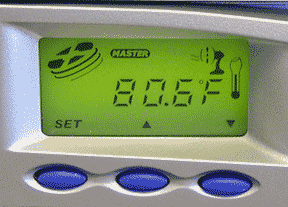 The "info" part of WiebeTech's InfoTray has these features:
- Lockable on, locked off and unlocked off.
- Torque Handle for easy removal and insertion of trays.
- Select "Master" or "Slave" without removing the drive.
- Master/Slave Indicator.
- Accessing Indicator.
- Drive Temperature.
- Overheatind Alarm.
- Fan Failure Alarm.
- Drive Timer.
- All aluminum construction.
The information LCD is shown above at right. During our use, the drives generally ran at 80-81 deg F.
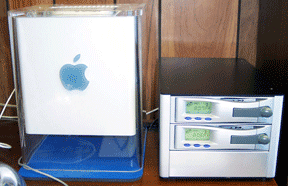
The WiebeTech dual BayDock with no drives or trays installed is whisper quiet. The one medium size fan on the BayDock's back can not be heard in a room with normal background noise. However, with two drives running and the small fan in each tray running, the sound is noticeable. We would not call it "very quiet" as it is somewhat louder than our Cube with a single large fan to cool the 1.4-GHz CPU. But it does not have an objectionable pitch so we leave it on all the time. The BayDock's noise fades into the room's background noise after awhile.
Saw something? Send a tip or a correction
The archive ran on reader tips. What did you see, where, and do you want the credit? Something wrong on this page? Say so and it gets fixed.