TurboTax Desktop 2026 for Mac is Out--Download Only With No CD by Intuit's Help Page, macOS Sequoia 15 or Later So Sonoma Macs Are Shut Out, $84 Deluxe, $119 Premier and $134 Home & Business With Five Federal E-Files Each, a 424 MB Mac Installer Dated November 13 That Is 158 MB Bigger Than the 2025 One, and Nothing on Intuit's Pages Says Whether It Runs Natively on Apple Silicon Before Rosetta Ends With macOS 28
TurboTax Desktop 2026, Intuit's tax preparation software for tax year 2026, is on sale for the Mac as a download: $84 for Deluxe, $119 for Premier and $134 for Home & Business, each with five federal e-files and one state download. It needs macOS Sequoia 15 or later. Intuit's help page on the Desktop line, updated November 10, says "Beginning with tax year 2026, we're offering TurboTax Desktop via download only. We're no longer offering TurboTax Desktop as a CD." The Mac installer on Intuit's download server is dated November 13, and nothing Intuit has published says whether the app is native to Apple silicon before Rosetta ends with macOS 28.
The CD is gone and Sonoma is out
The help page's own heading still asks "What do I need to know about TurboTax Desktop 2025?", but its answers are about the change: "we're not changing the product, we're only changing the way you install it"; boxed copies "will still be available for purchase in select stores"; and "A license code can be connected to just one Intuit Account." Intuit's requirements article, also updated November 10, lists macOS Sequoia 15 or later for 2026 against Sonoma 14 for 2025, 2 GB of disk for 2026 where 2025 took 1 GB, and TurboTax Desktop Business as Windows only. The product pages put it more bluntly: "Software will not install on Windows 10, macOS Sonoma 14 or earlier operating systems." There is also a Standard edition: Intuit's installation article for it, dated November 4, says it is "sold only at Walmart," with one federal return, one federal e-file and one state return, and has a Mac download.
What it costs
Each of the three editions is shown beside a struck-through figure $10 higher, by our arithmetic, which the pages' footnote calls a "price comparison based on anticipated price increase." A state e-file is "additional $25 per return," or $20 for members of TurboTax Advantage, Intuit's auto-renewing bundle, which the pages sell at the same price as the one-time purchase.
What is in the download, and what Intuit does not say
The Standard article links the installers on Intuit's download server. The server dates the Mac disk image November 13, 2026 at 07:13 GMT and gives its size as 423,664,480 bytes, with the Windows installer stamped 26 seconds later at 403,944,208 bytes. The 2025 Mac image beside it is 265,735,515 bytes, dated October 30. By our arithmetic the 2026 Mac download is 158 MB larger than the 2025 one, and Intuit's pages do not say why: none of the six this item cites uses the words Rosetta, Apple silicon, Universal or Intel. That silence matters because Apple's support note on Intel-based apps says a Mac with Apple silicon warns, on opening an Intel-only app, that it "will not work with a future release of macOS (macOS 28)," and that from macOS 28 Rosetta "will be available only for certain older, unmaintained games that rely on Intel-based frameworks." Apple's Rosetta documentation says Rosetta "will be available through macOS 27" as a general-purpose tool. An Intel-only TurboTax 2026 would run on macOS 27 Golden Gate and on nothing newer; a Universal one would outlast the question.
What to do now
If your Mac is on Sonoma, this edition will not install, by Intuit's own line. On Sequoia, Tahoe or Golden Gate, install it, select the TurboTax app in the Applications folder and press Command-I: Apple's note says the Info window's Kind line reads "Application (Intel)" for an app that needs Rosetta and "Application (Universal)" for one built for both. We have not installed it; we will report what Get Info says when we have, and a reader who already has it can tell us first.
Then and now
Our November 18, 2002 note was Dana Baggett's online credit card statement showing a charge from Intuit for TurboTax 2003 for Mac, "which in turn indicates the product is shipping," and "This year the application will be able to run on Mac OS X." Our December 22, 2003 note had the Mac version charged on December 11 while "the Windows versions have been in stores for weeks"; in 2026 the two installers were stamped 26 seconds apart and there is no CD at all. The activation that our September 9, 2002 note said "sounds like Microsoft's scheme for Windows XP" is the Intuit Account every copy signs into. And the word on the Mac side of the question, by our December 11, 2006 note on the TurboTax 2006 (Universal) updates, was Universal then too, when it meant PowerPC and Intel. We would rather Intuit said what is in the download than send every Mac owner to Get Info to find out.
Sources
- Intuit, “TurboTax Deluxe Desktop Download Tax Software | Maximize Deductions” accessed Nov 18, 2026
"TurboTax Desktop Deluxe 2026"; the price block "$94" then "$84" for "TurboTax Deluxe, One-time purchase, software only" and the same two figures for "TurboTax Deluxe + TurboTax Advantage, Auto-renewal, software plus exclusive member benefits"; "Includes 5 federal e-files"; "Includes 1 state download"; the Advantage benefit "State E-file for $20 ($5 savings)"; "(State e-file additional $25 per return)"; "Windows 11 (64-bit), macOS Sequoia 15 or later. Software will not install on Windows 10, macOS Sonoma 14 or earlier operating systems."; the Desktop disclaimer "Savings and price comparison based on anticipated price increase." The $10 difference is our arithmetic. Accessed November 18, 2026.
- Intuit, “TurboTax Premier Desktop Download 2026-2027 | Investments and Rentals” accessed Nov 18, 2026
The price block "$129" then "$119" for "TurboTax Premier, One-time purchase, software only" and for "TurboTax Premier + TurboTax Advantage"; "Includes 5 federal e-files"; "Includes 1 state download"; the same "Software will not install on Windows 10, macOS Sonoma 14 or earlier operating systems." line and "Savings and price comparison based on anticipated price increase." disclaimer. Accessed November 18, 2026.
- Intuit, “TurboTax Home & Business Desktop Download 2026-2027 | Personal & Small Business Taxes” accessed Nov 18, 2026
The price block "$144" then "$134" for "TurboTax Home & Business, One-time purchase, software only" and for "TurboTax Home & Business + TurboTax Advantage"; "Includes 5 federal e-files"; "Includes 1 state download"; the same operating-system line and "Savings and price comparison based on anticipated price increase." disclaimer. Accessed November 18, 2026.
- Intuit, “What do I need to know about TurboTax Desktop 2025?” accessed Nov 18, 2026
Updated "November 10, 2026 1:24 PM". "Beginning with tax year 2026, we're offering TurboTax Desktop via download only. We're no longer offering TurboTax Desktop as a CD."; "TurboTax Desktop will still be available for purchase in select stores"; "No, we're not changing the product, we're only changing the way you install it."; "Your purchase of TurboTax Desktop comes with one license code. A license code can be connected to just one Intuit Account." The page's heading still reads "What do I need to know about TurboTax Desktop 2025?". Accessed November 18, 2026.
- Intuit, “Minimum system requirements for TurboTax Desktop software” accessed Nov 18, 2026
Updated "November 10, 2026 12:59 PM". "These are the minimum system requirements for TurboTax Desktop software for Mac, 2023–2026." Operating system: "2026: macOS Sequoia 15 or later", "2025: macOS Sonoma 14 or later"; "Hard drive space: 2023–2025: 1 GB / 2026: 2 GB"; "TurboTax Desktop Business is for Windows only, and isn't available for Mac." Accessed November 18, 2026.
- Intuit, “How do I install TurboTax Desktop Standard sold exclusively at Walmart?” accessed Nov 18, 2026
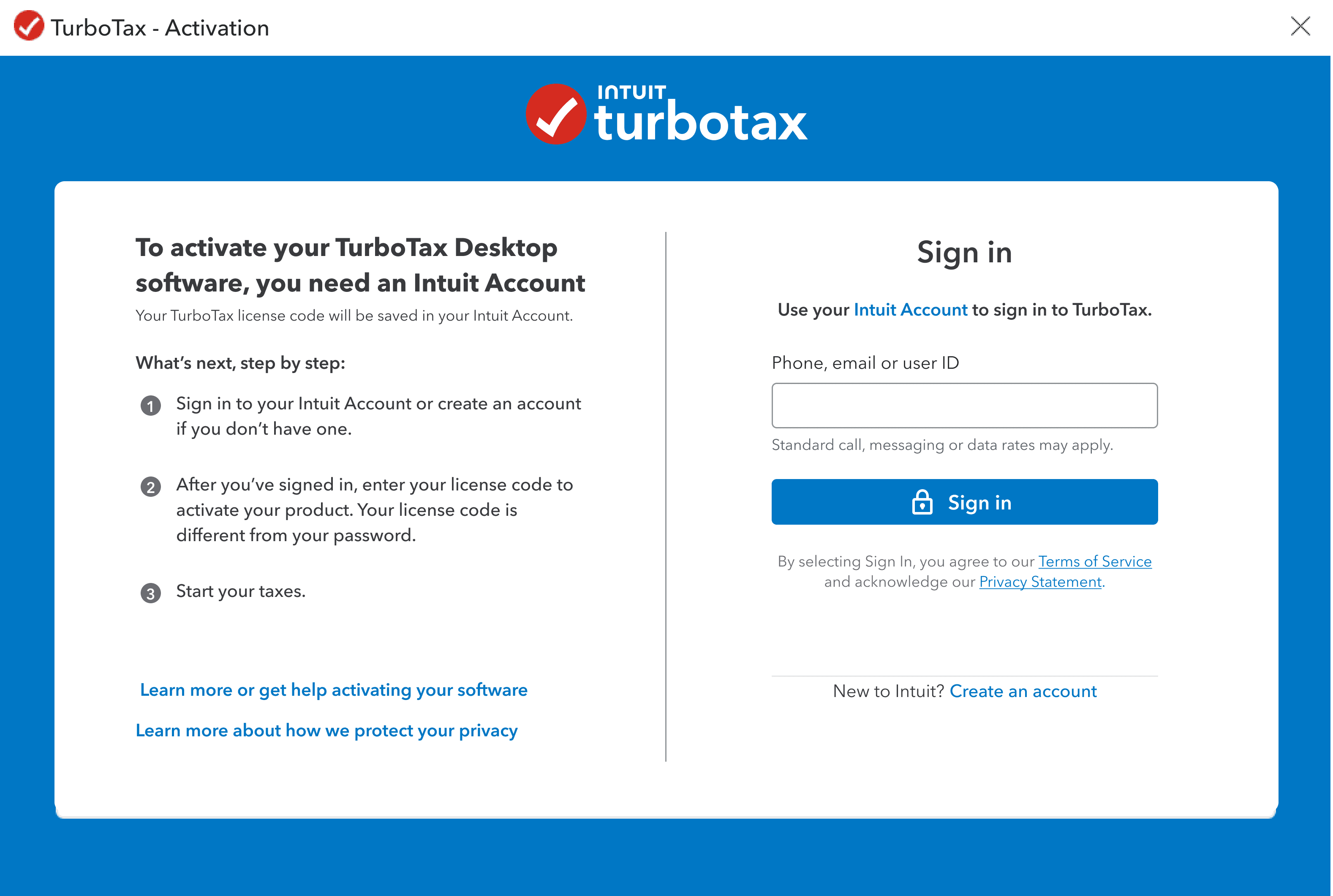
Updated "November 4, 2026 6:27 AM". "TurboTax Desktop Standard is desktop tax software sold only at Walmart. It includes: 1 federal return and 1 federal e-file; 1 state return"; the links "Download TurboTax Desktop Standard for Windows" (downloads.ecom.intuit.com/ttfed/26tax/Windows_PC_TurboTax_Download.exe) and "Download TurboTax Desktop Standard for Mac" (downloads.ecom.intuit.com/ttfed/26tax/Mac_TurboTax_Download.dmg); "Here's the screen you'll see:" above the activation-window screenshot ttdactivationpage-photo-tt-us-en.png, the picture. Accessed November 18, 2026.
- Intuit, “Mac_TurboTax_Download.dmg, the TurboTax Desktop 2026 installer for Mac” accessed Nov 18, 2026
The response headers on November 18, 2026: HTTP 200, content-length 423664480, last-modified Fri, 13 Nov 2026 07:13:20 GMT. The Windows installer in the same folder, Windows_PC_TurboTax_Download.exe: content-length 403944208, last-modified Fri, 13 Nov 2026 07:13:46 GMT. The 26 seconds and the 158 MB difference from the 2025 Mac image are our arithmetic.
- Intuit, “Mac_TurboTax_Download.dmg, the TurboTax Desktop 2025 installer for Mac” accessed Nov 18, 2026
The response headers on November 18, 2026: HTTP 200, content-length 265735515, last-modified Fri, 30 Oct 2026 06:12:27 GMT.
- Apple Support, “Using Intel-based apps on a Mac with Apple silicon - Apple Support” accessed Nov 18, 2026
"When opening an Intel-based app, you might be notified that support is ending for Intel-based apps, and that the app or a component used by the app will not work with a future release of macOS (macOS 28)."; "Starting with macOS 28, the next major macOS release, Rosetta functionality will be available only for certain older, unmaintained games that rely on Intel-based frameworks."; the Get Info steps ("From the File menu in the Finder menu bar, choose Get Info. Or press Command-I.", "In the Info window that opens, find the information shown after Kind:") and the Kind values "Application (Intel): The app is made for a Mac with an Intel processor." and "Application (Universal): The app is made for both a Mac with Apple silicon and a Mac with an Intel processor." Accessed November 18, 2026.
- Apple Developer Documentation, “About the Rosetta translation environment | Apple Developer Documentation” accessed Nov 18, 2026
"Rosetta was designed to make the transition to Apple silicon easier, and will be available through macOS 27 — as a general-purpose tool for Intel apps to help developers complete the migration of their apps." Accessed November 18, 2026.
Saw something? Send a tip or a correction
The archive ran on reader tips. What did you see, where, and do you want the credit? Something wrong on this page? Say so and it gets fixed.