Hands-On Report--Quiet the ATI Radeon 9800 Pro
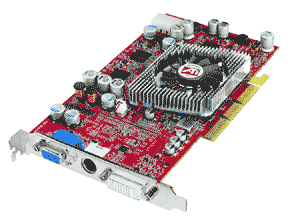 resolution of 1024x768 or better on our 23" Apple HD Display. Unfortunately, the 9800 Pro card has a fan on it (see photo at right). The fan is the usual small one with an infernal, annoying whine. Why do graphics card manufacturers alway put such fans on expensive cards?
Without the 9800 Pro installed, most of the time our Power Mac G5 is nearly silent with only the low whirring of the power supply fans barely audible. After several weeks of the 9800 Pro's whine, we'd had enough and decided to look for an alternative method of cooling the 9800 Pro. We found two and the first is the subject of this article. However, this article is for information purposes only. We do not recommend that you risk damaging your $500 9800 Pro graphics card as we have.
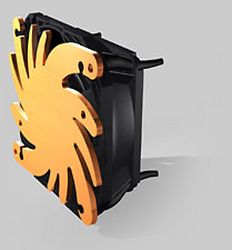 Previously, in searching for a way to quiet the GeForce3 graphics card in our souped-up G4 Cube, we ran across the Verax CAIRdB Graphic Card Cooling-System G01 and bought one. Unfortunately, it is a bit too tall for the Cube's enclosure so we had it sitting around, waiting for the PowerLogix PowerCube enclosure to ship. The PowerCube is larger than the stock enclosure by an inch so it will have more clearance for the fan.
According to Verax,
The Verax fan 65mm with graphic card heat sink for Geforce 3/4 and ATI 8500 graphic cards cools amost silently. The copper plate has optimal air flow perforations for two-sided cooling. The transfer of mechanical vibration to the PC-housing is greatly reduced by rubber mounting elements. 2 expander rivets are used to fasten the cooling-system to the graphic card.
• Extremely quiet due to optimal air flow
• Anti-vibration mounting with rubber elements
• Long life span with quality ball bearings
• Temperature-controlled rpm
It is a rather expensive fan/heatsink at $56 but near-silent computing is worth it to us. And while Verax doesn't claim it will work an ATI Radeon 9800 Pro, it looks sufficiently substantial so we decided to risk our $500 card and try it out--anything to get rid of that whine.
First, we had to remove the original heat sink/fan assembly. This was easy once we figured out how the black plastic push pins that held the assembly to the card worked. A thin rod runs down the center of each push pin and it needs to be pulled out. Then the assembly can be easily pulled off the card and the power connector removed from its receptacle on the card.
Attaching the Verax fan to the 9800 Pro proved to be fairly difficult. The included white push pins are supposed to be pushed up from the back of the card and then into corresponding holes in the copper heat sink. Unfortunately, the holes in the 9800 Pro are too small to permit this. We decided to not enlarge the holes, avoiding the risk of unintended damage. Instead, we risked the Verax fan by using a screw driver to carefully push the heatsink to one side in order to insert the push pins. Doing this significantly stretched the rubber mounts holding the fan to the heatsink--we were afraid the rubber mounts would break but they didn't. Care must also be taken to not wreck the fan blades with the screwdriver.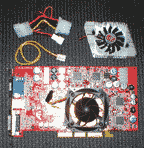
Once the push pins were in the heatsink we applied thermal grease to the heatsink and graphics chip. Then we centered the assembly over the holes in the graphics card and pushed the pins down with the screwdriver in between the fan blades. The pins stick through the card about 1/16" and seem to hold fairly well.
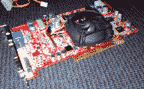 The fan kit includes a Molex Y-connector (top left in photo above-click it for a larger image) to directly hook up the fan to the computer's power supply but the computer will not startup unless the 9800 Pro is powered. We decided to connect the Verax fan to the card just like the original ATI fan. The Verax fan has a 3-pin connector but the card has a 2-pin receptacle so we cut the connectors off both and soldered and taped the 2-pin connector to the Verax's wires. The completed job is shown in the two photos above (click it for a larger image).
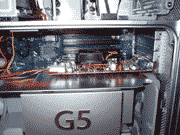 The modified ATI Radeon 9800 Pro will fit into the Power Mac G5 unless the nearest PCIx slot is filled. In the photo at right (click it for a larger image) one can see that the Verax fan covers the PCIx slot next to the graphics card which renders that slot unusable. This is okay for us since we don't use any of the slots, at least not yet.
Our Power Mac G5 booted right up and after the SuperDrive stopped rapidly spinning we were once again rewarded with near-silent computing. The whine is gone and we can't hear the Verax fan on the 9800 Pro at all. The only perceptible noise in a very quiet room is the low whirring of the power supply fans.
We have now used the 9800 Pro with the replacement Verax fan/copper heatsink for over a week. That includes countless hours of playing the 3D games Return to Castle Wolfenstein and Medal of Honor-Spearhead on line to...er...test the new cooling assembly to its limit. So far we've seen no evidence of the 9800 Pro overheating despite the heavy use. While no acute problems have shown up, we do not know if the card's life will be shortened or even lengthened for that matter.
This modification is working fine for us and we intend to keep using it unless the second option that we are working on proves feasible--we'll post more on that later. The YMMV rule applies so we do not recommend that you risk your $500 ATI Radeon 9800 Pro card to do this modification. Doing so certainly voids your warranty. But to us, the absence of the card's infernal whine is well worth the risk.
Saw something? Send a tip or a correction
The archive ran on reader tips. What did you see, where, and do you want the credit? Something wrong on this page? Say so and it gets fixed.