Logic Pro 12.4 is Out--One New Key Command Option, 53 Fixes and Changes Including Four Crash Fixes, and Apple Pages That Name Three Different macOS Floors
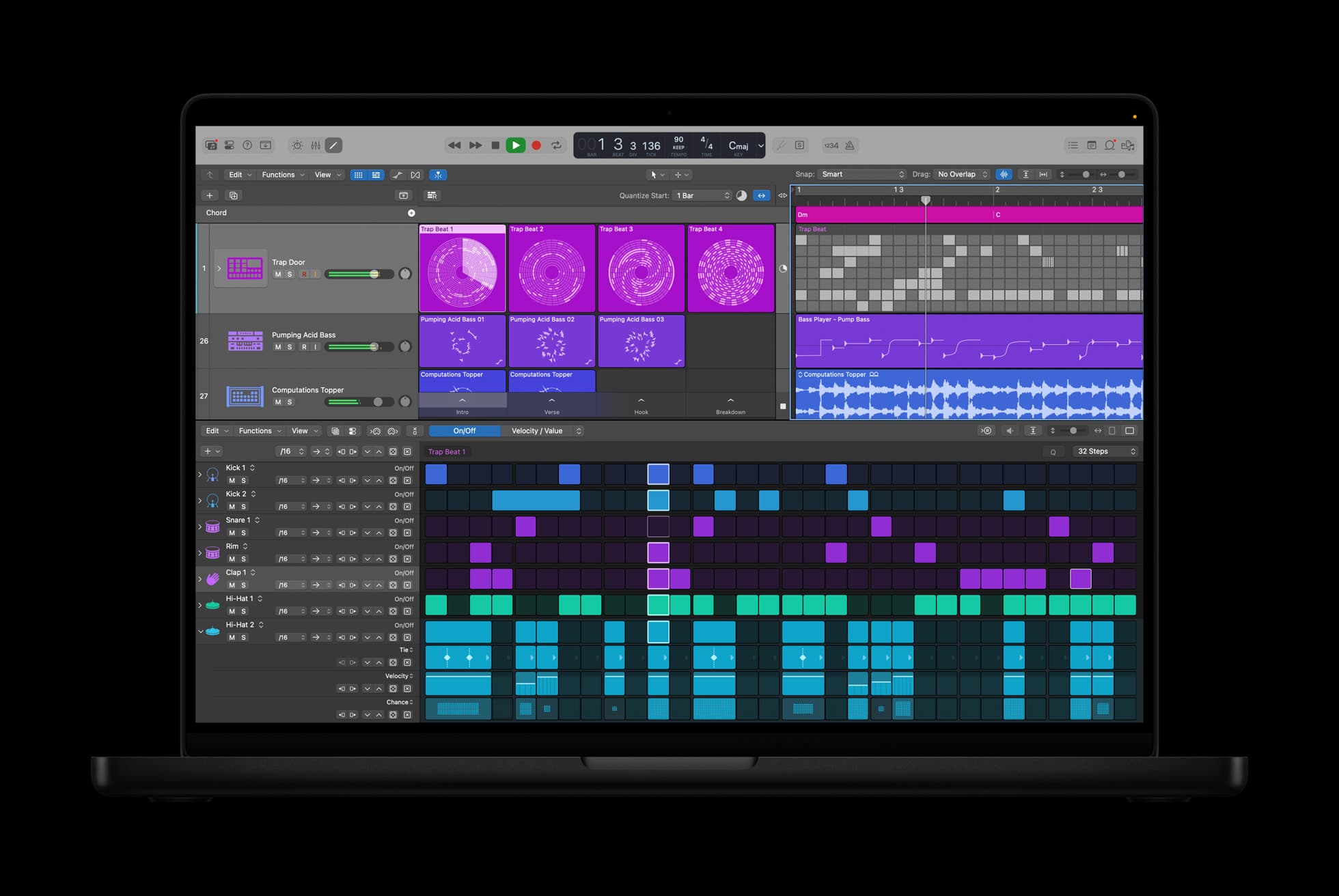
Logic Pro 12.4, Apple's music production application for the Mac, is out on the Mac App Store, dated September 29. Apple's release notes list one new feature, a Merge Custom Key Commands option in the Key Commands Editor, and 53 fixes and changes under 20 headings by our count, four of them for unexpected quits. It is the sixth release of Logic Pro 12 since January, and the pages Apple keeps about it give three different answers on which macOS it needs.
The notes list one new option and 53 fixes and changes
The four crash fixes cover Logic Pro quitting when you use undo with Mastering Assistant, re-open a complex project, enable Record Arm during playback or double-click a chord in the Chord Track; the notes for 12.3.1 list that last one as fixed too. If you record in takes, the Eraser Tool "no longer automatically deletes takes" and MIDI Cycle Recording with Takes "now functions correctly". Drum Machine Designer gets two Undo fixes, Audio Units are no longer removed from the top level of the Plugin Manager after a restart, and canceling an AU scan no longer leaves some plug-ins unavailable at the next scan. Three entries read as additions rather than fixes: Undo in the File Editor, surround side chains for Audio Units, and a region inspector that opens as a floating window with a right-click. The notes cover both the one-time purchase and the Apple Creator Studio versions.
One fix is for Macs that run Logic Pro in Rosetta mode, which "no longer triggers an AU scan when returning to Apple Silicon mode". Apple's Audio Units compatibility page, dated August 21, 2023, says you should not need Rosetta to run Logic Pro unless you use third-party ARA software such as Melodyne. macOS 27 is, by Apple's account in our September 15 item on Golden Gate, the last macOS with the full Rosetta 2.
Apple gives the Merge option one sentence
All the notes say of the new feature is this: "There is now a Merge Custom Key Commands menu option in the Key Commands Editor." The nearest description is the Logic Pro User Guide's page on key command sets, whose newest edition was still labeled 12.3 on October 3. It lists a Merge Key Commands choice in the Key Commands window's Action pop-up menu, beside Import Key Commands, which overwrites every key command, and says Merge overwrites only the commands "that have custom assignments in the key command set that you select". If that is the 12.4 option under a shorter name, you can load someone else's custom shortcuts over yours and keep the rest of your set; Apple's pages do not say whether it is.
The App Store calls it bug fixes, and Apple's pages name three macOS floors
The Mac App Store listing describes 12.4 in one line, "This update includes stability improvements and bug fixes", then lists under "Also Recently Added" the same six groups of features as its June 30 entry for 12.3. Apple announced updates across the suite the same day: Apple's September 29 newsroom post covers Pixelmator Pro, Final Cut Pro, Motion, Compressor, Keynote, Pages, Numbers and Freeform and does not name Logic Pro; MacRumors, which reported that all the updates were available that day, names it only in the sentence on the subscription's price. The Creator Studio listing dates Logic Pro for iPad 3.4 to September 29 as well.
Logic Pro is $199.99 as a one-time purchase, 1.4GB by its listing, or part of Apple Creator Studio at $12.99 a month or $129 a year. Those are the prices in Apple's January announcement, whose footnotes put both versions on macOS 15.6 or later. The two App Store listings said macOS 15.4 or later on October 3, the Creator Studio one adding "a Mac with Apple M1 chip or later". Apple's Creator Studio support page, published October 2 and listing Logic Pro for Mac 12.4, says it "requires macOS 26.6 or later and a Mac with Apple silicon". We cannot tell you which page is right; the update comes through the App Store, so check its listing from the Mac you mean to update.
Our archive saw the same kind of Logic update in 2005
Our October 5, 2005 item on Logic Express and Logic Pro 7.1.1 reported standalone updaters that addressed "isolated reliability issues" and improved compatibility with Mac OS X 10.4 Tiger. They followed the May 2005 upgrade to 7.1, which Apple sold for $19.95. The application cost $999 as Logic Pro 7 in October 2004, and was Emagic's Logic Platinum 5 in 2002.
A point-four release with one new menu item is maintenance whatever the number says, and we think four crash fixes are reason enough to take it.
Sources
- Apple Support, “Logic Pro for Mac release notes - Apple Support” accessed Oct 3, 2026
The Logic Pro 12.4 section: the one new feature, a Merge Custom Key Commands menu option in the Key Commands Editor (quoted); the fixes and changes under the other 20 headings, 53 by our count; the four unexpected-quit fixes (undo with Mastering Assistant, re-opening a complex project, Record Arm during playback, double-clicking a chord in the Chord Track) and the same chord fix in the 12.3.1 list; the Eraser Tool (quoted), MIDI Cycle Recording with Takes (quoted), Drum Machine Designer Undo, Plugin Manager and AU scan entries; Undo in the File Editor, surround side chains for Audio Units and the region inspector as a floating window; the Rosetta mode entry (quoted); the line that the notes apply to both the one-time purchase and Apple Creator Studio versions; six 12.x releases listed; accessed October 3, 2026.
- Apple, “Logic Pro App - App Store” accessed Oct 3, 2026
Version 12.4 dated September 29, 2026 and its What's New text ("This update includes stability improvements and bug fixes", then "Also Recently Added" with the same six feature groups as the 12.3 entry of June 30); the version history 12.0 (January 28), 12.0.1, 12.2, 12.3, 12.3.1 and 12.4, six releases by our count; the $199.99 price; size 1.4 GB; "Requires macOS 15.4 or later" as read on October 3, 2026.
- Apple, “Logic Pro: Make Music App - App Store” accessed Oct 3, 2026
The Apple Creator Studio listing: Logic Pro for iPad version 3.4 dated September 29, 2026, and the Mac requirement "Requires macOS 15.4 or later and a Mac with Apple M1 chip or later" as read on October 3, 2026.
- Apple Newsroom, “New updates coming to Apple Creator Studio - Apple” accessed Oct 3, 2026
The September 29, 2026 post on the Apple Creator Studio updates: it covers Pixelmator Pro, Final Cut Pro, Motion, Compressor, Keynote, Pages, Numbers and Freeform and does not name Logic Pro; accessed October 3, 2026.
- MacRumors, “Apple Creator Studio and Final Cut Camera Get New Features - MacRumors” accessed Oct 3, 2026
The September 29, 2026 report that all of the updates were available that day, with Logic Pro named only in the sentence on Apple Creator Studio's $12.99 monthly price; accessed October 3, 2026.
- Apple Support, “Browse, import, and save key commands in Logic Pro for Mac - Apple Support” accessed Oct 3, 2026
The Logic Pro User Guide page, newest edition labeled Logic Pro for Mac 12.3 on October 3, 2026: the Action pop-up menu in the Key Commands window offers Import Key Commands, which overwrites all key commands, and Merge Key Commands, which overwrites only the key commands that have custom assignments in the key command set that you select (quoted).
- Apple Support, “About Apple Creator Studio - Apple Support” accessed Oct 3, 2026
Published October 2, 2026: the app list naming Logic Pro for Mac 12.4, and the minimum requirement "Logic Pro for Mac requires macOS 26.6 or later and a Mac with Apple silicon"; accessed October 3, 2026.
- Apple Support, “About third-party Audio Units and external device compatibility in Logic Pro and Final Cut Pro on Mac computers with Apple silicon - Apple Support” accessed Oct 3, 2026
Published August 21, 2023: you should not need Rosetta to run Logic Pro unless you use third-party software that uses ARA, and the list of such software, which includes Melodyne; accessed October 3, 2026.
- Apple Newsroom, “Introducing Apple Creator Studio, an inspiring collection of creative apps - Apple” accessed Oct 3, 2026
The January 13, 2026 announcement: Apple Creator Studio at $12.99 per month or $129 per year; the one-time purchase of Logic Pro at $199.99; the footnotes that the Apple Creator Studio version of Logic Pro for Mac and the one-time-purchase version each require macOS 15.6 or later; and the picture of Logic Pro on a MacBook Pro; accessed October 3, 2026.
Saw something? Send a tip or a correction
The archive ran on reader tips. What did you see, where, and do you want the credit? Something wrong on this page? Say so and it gets fixed.