macOS 27 Golden Gate is Out--Apple Silicon Only, Rosetta 2's Last Full Release, and a Siri AI Beta With Usage Limits
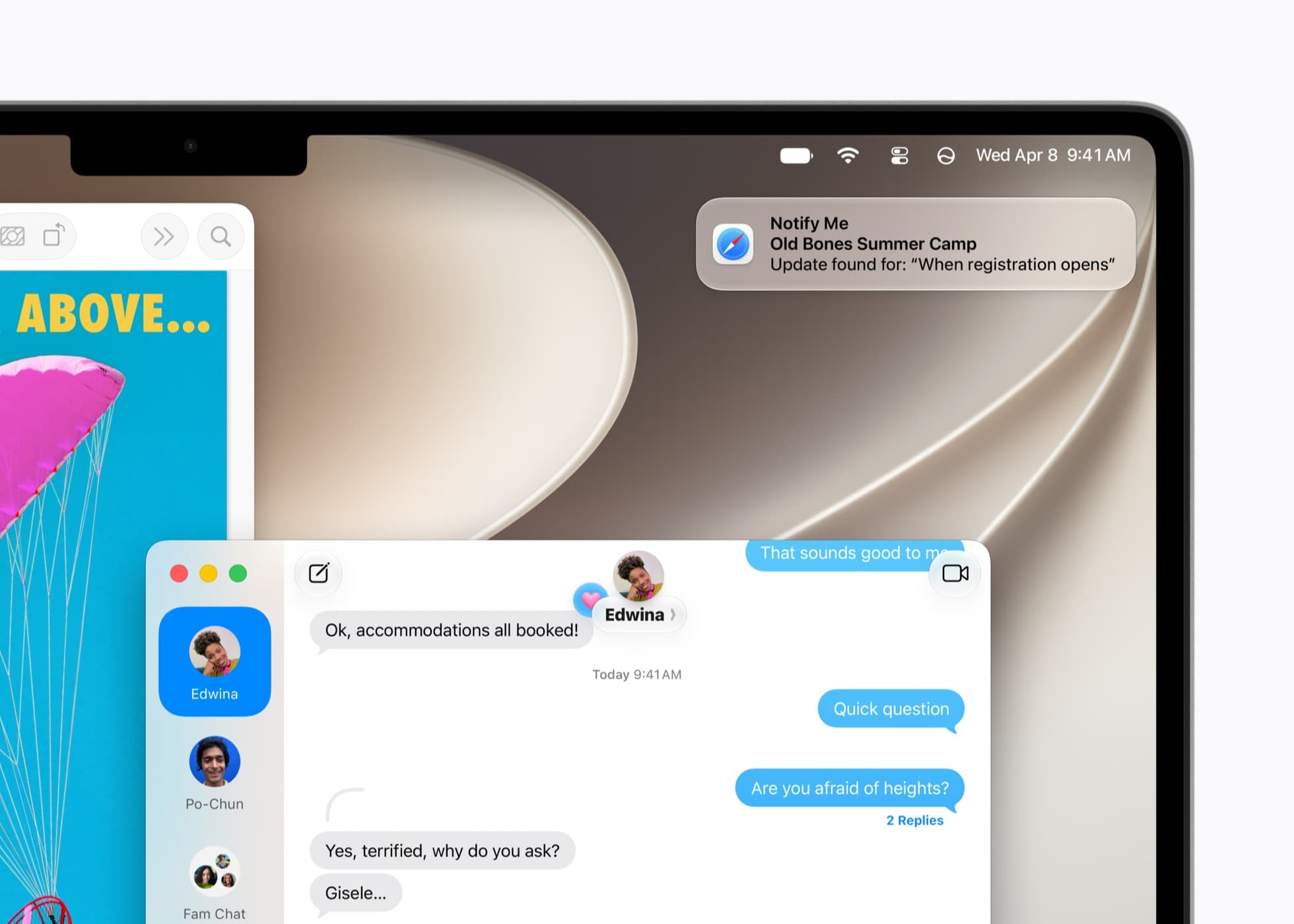
macOS 27 Golden Gate is out. Apple's developer releases page lists macOS 27.0 as build 26A428, dated September 14, 2026, and it comes via Software Update to any Apple silicon Mac. It is the first macOS that will not install on an Intel Mac, by Apple's account the last with the full Rosetta 2 translation layer, and the first with the Siri AI beta, so there is more to check before you upgrade than there was with Tahoe.
Intel Macs are out, and Rosetta 2 has one release left
The supported list is every Apple silicon Mac: the MacBook Neo (2026), the MacBook Air and MacBook Pro with Apple silicon (2020 and later), the iMac (2021 and later), the Mac mini (2020 and later), the Mac Studio (2022 and later) and the Mac Pro (2023 and later), per Macworld's guide. The four Intel Macs that could run Tahoe are dropped: the 16-inch MacBook Pro (2019), the 13-inch MacBook Pro (2020, four Thunderbolt 3 ports), the iMac (2020) and the Mac Pro (2019), per MacRumors. The Intel era that opened with our January 2006 report on the first Intel Macs closes with this release.
Golden Gate still runs Intel apps. Apple's Rosetta documentation says Rosetta "will be available through macOS 27" as "a general-purpose tool for Intel apps," and that beyond that Apple "will keep a subset of Rosetta functionality aimed at supporting older unmaintained gaming titles." The macOS 27 release notes spell out the handover. Rosetta is not restored automatically when you upgrade; MacRumors notes there is a short installation the first time you open an Intel app.
System Settings > General lists the Intel-based apps that will not open in macOS 28.0, and Get Info marks them. Plug-ins are the catch: Apple says Intel-based audio, printer, Color Picker, Quick Look and Spotlight components "may not appear in Settings," so you check ~/Library/Audio/Plug-Ins, ~/Library/Printers and ~/Library/ColorPickers by hand. The first Rosetta arrived with the move to Intel, covered in our June 2005 report from WWDC; its successor has one release left.
Siri AI is a beta, and Apple says usage limits may apply
The headline feature is Siri AI, "an entirely new version of Siri powered by Apple Intelligence" in Apple's release notes, which 9to5Mac printed in full on September 9; it lives in Spotlight and is switched on in Settings. Apple's June announcement says Siri AI arrives "as a beta" on devices set to English, that Mac users in the EU can use it in a supported language, and that it is not available in China. The expressive Siri voices and the improved dictation model need an M3 or later Mac with at least 12GB of unified memory, Macworld notes.
The release notes' footer says "Usage limits may apply for some Apple Intelligence features, including but not limited to Siri AI." The June announcement said some features, image generation among them, "have daily usage limits because they rely on powerful server models," with "increased access" on most iCloud+ plans. MacRumors read Apple's fine print on September 9 and reported "a daily usage limit for Siri AI, with expanded access available for a fee"; limits "may vary by feature, request complexity, system demand, system policies, and other factors," and a capped feature "will become available again after a time out period." Apple "did not offer details on what the fee will be or how it will be charged," MacRumors adds.
Liquid Glass gets a slider, and five checks come before you install
Liquid Glass gets a slider from ultra-clear to fully tinted. Visual Intelligence gets a keyboard shortcut, Command-Shift-Space. Safari gains Notify Me, which watches a page for a price drop or a restock, and Describe an Extension, which builds an extension from a sentence. Suggestions in Messages and the one-tap fix for compromised passwords miss the launch; MacRumors reports Apple noted the delay on its macOS Golden Gate page and promises them in a later version. And AirPort Utility is no longer part of a clean install; it survives an upgrade, with no promise it works. Our checklist:
- Make a full backup first.
- Read the list at System Settings > General > About > Intel-based Apps; everything on it still runs in macOS 27.
- Check the plug-in folders above for Intel components the list does not show.
- Re-test anything you had forced to "Open using Rosetta"; it launches natively in macOS 27.
- If you depend on AirPort Utility, upgrade in place rather than clean-installing.
We'll post a hands-on report after we install it. Our advice is what it was for Tahoe: the Mac you can afford to reboot gets it first, and the one you work on waits for 27.1.
Sources
- Apple Developer News, “Releases - Apple Developer” accessed Sep 15, 2026
The macOS 27.0 (26A428) entry dated September 14, 2026; accessed September 15, 2026.
- 9to5Mac, “macOS 27 Golden Gate: Here are Apple's full release notes - 9to5Mac” accessed Sep 15, 2026
Apple's full release notes: Siri AI in Spotlight, the Visual Intelligence shortcut, the Liquid Glass slider, Safari Notify Me and Describe an Extension, and the usage-limits footer naming Siri AI; accessed September 15, 2026.
- Apple Developer Documentation, “About the Rosetta translation environment | Apple Developer Documentation” accessed Sep 15, 2026
Apple's statement that Rosetta is available through macOS 27 as a general-purpose tool and that only a subset for older games remains beyond it; accessed September 15, 2026.
- Apple Developer Documentation, “macOS 27 Golden Gate Release Notes | Apple Developer Documentation” accessed Sep 15, 2026
Rosetta not restored on upgrade, Open-using-Rosetta apps launching natively, the Settings list of Intel apps that stop in macOS 28.0 and the Get Info mark, the plug-in folders to check, and AirPort Utility dropped from clean installs; accessed September 15, 2026.
- MacRumors, “How to See Which Mac Apps Will Stop Working After macOS Golden Gate” accessed Sep 15, 2026
The Settings > General > About > Intel-based Apps path and the short Rosetta installation on first launch of an Intel app; accessed September 15, 2026.
- Apple Newsroom, “Apple unveils next generation of Apple Intelligence, Siri AI, and more - Apple” accessed Sep 15, 2026
Siri AI as a beta in English, EU and China availability, daily usage limits on some features including image generation with increased access on most iCloud+ plans, and the article image; accessed September 15, 2026.
- MacRumors, “Apple's Fine Print: Daily Usage Limits for Siri AI, 'Expanded Access' Coming for a Fee” accessed Sep 15, 2026
Apple's fine print: a daily usage limit for Siri AI with expanded access for a fee, how limits vary, the time-out period, and that Apple gave no details on the fee; accessed September 15, 2026.
- Macworld, “macOS 27 Golden Gate: New features, release date, beta, compatible Macs | Macworld” accessed Sep 15, 2026
The supported Mac list and the M3 and 12GB requirement for expressive Siri voices and advanced dictation; accessed September 15, 2026.
- MacRumors, “Here Are the Macs Compatible With macOS Golden Gate” accessed Sep 15, 2026
The four Intel Macs dropped versus macOS Tahoe; accessed September 15, 2026.
- MacRumors, “Two iOS 27 Features Won't Be Ready for Monday's Launch” accessed Sep 15, 2026
The two cross-platform features, Messages suggestions and one-tap compromised-password fixes, held from the launch, noted by Apple on its macOS Golden Gate page and due in a later version; accessed September 15, 2026.
Saw something? Send a tip or a correction
The archive ran on reader tips. What did you see, where, and do you want the credit? Something wrong on this page? Say so and it gets fixed.