Tip--Replace Time Capsule Backups in macOS 27
If your Mac backs up to an AirPort Time Capsule, macOS 27 Golden Gate ends that. Apple's list of Time Machine backup disks, dated September 14, says backups to a Time Capsule, or to a drive on an AirPort Extreme, use Apple Filing Protocol (AFP), "which isn't supported in macOS 27 or later." A Mac that has taken Golden Gate needs a new backup disk, and Apple's page names three kinds that work.
macOS 27 removed AFP and the Time Capsule has nothing newer
MacRumors' September 16 reminder says macOS 27 removes AFP and that Time Machine backups "now exclusively use the SMB protocol." MacRumors' June 17 report says every Time Capsule relies on AFP and SMBv1, while Time Machine in macOS 27 requires SMBv2 or SMBv3. It dates the Time Capsule to January 2008 and the end of AirPort development to April 2018; Bill Fox set up the $299 500GB model in our 2008 hands-on report on the Time Capsule.
Apple gave notice twice. Apple's enterprise notes for macOS Sequoia said under 15.5 that the AFP client "is deprecated and will be removed in a future version of macOS," and AppleInsider's June 2025 report quoted the Time Machine settings of the macOS 26 beta: the next major macOS "will no longer support AirPort Disk, or other Time Capsule disks, for Time Machine backups."
Give Time Machine a drive, another Mac or an SMB NAS
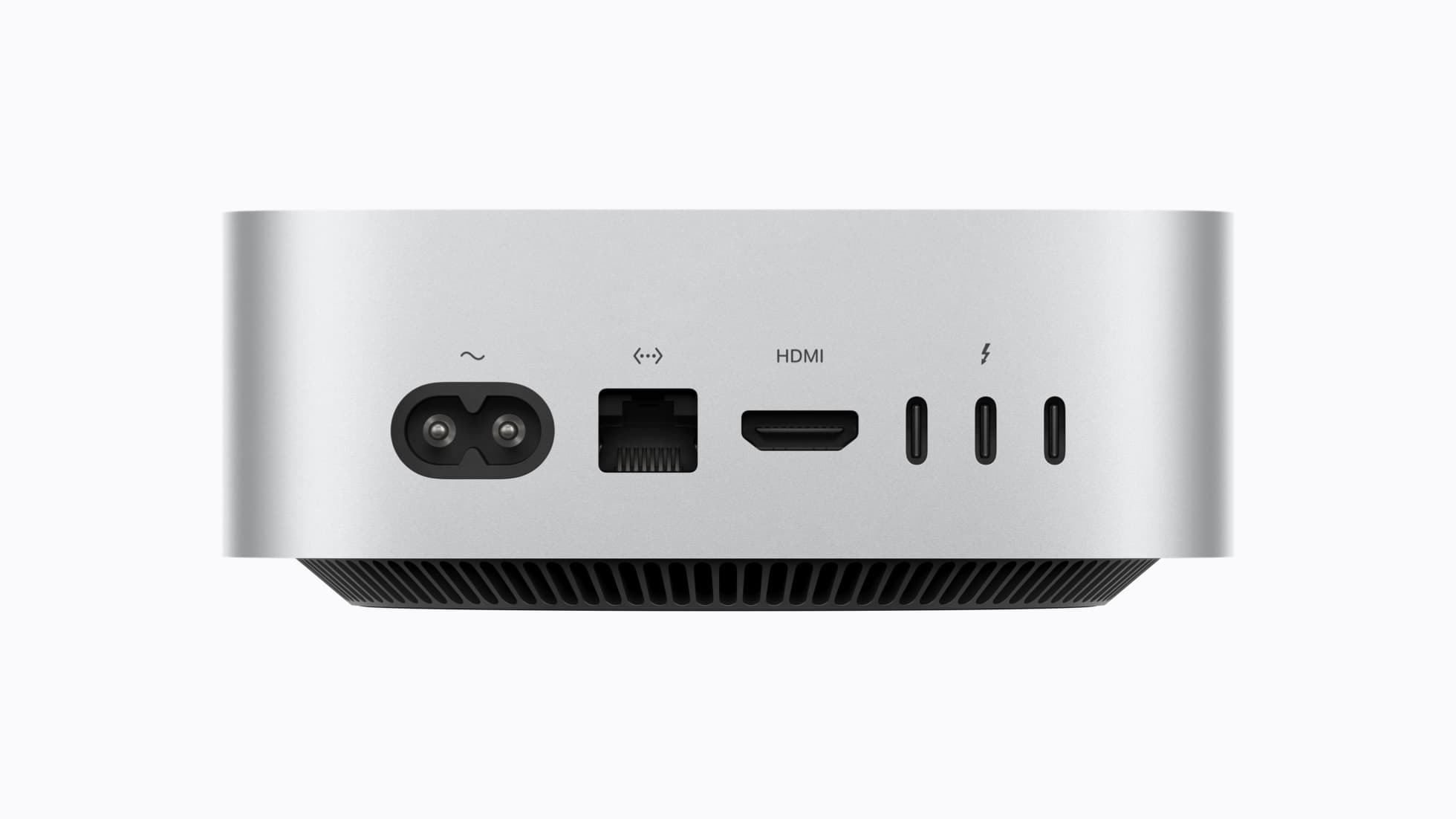
- Choose the destination. Apple lists an external drive on a USB-C or Thunderbolt port, which it calls the most common setup; another Mac shared as a network backup destination; and a third-party NAS that supports Time Machine over SMB.
- For a drive, Apple's Time Machine setup article says to use one with at least twice your Mac's storage and to keep it for backups only.
- Open System Settings, General, Time Machine, click Add Backup Disk, select the drive and click Set Up Disk. Erase the drive if your Mac asks.
- For another Mac, Apple recommends that both run macOS 11 or later. On the Mac that will hold the backups, open System Settings, General, Sharing, turn on File Sharing, click its info button, add a folder or drive, Control-click it, choose Advanced Options and select "Share as a Time Machine backup destination." Then select it as the backup disk on your own Mac.
- For a NAS, Apple says to check its documentation; a share that still uses AFP is out as well.
- Choose Back Up Now from the Time Machine menu. Apple says the first backup might take longer than you expect.
What to do if it did not work
If a NAS does not appear under Add Backup Disk, Apple's user guide page on Time Machine disks says you may still be able to connect to the server over SMB and then select the mounted disk. On October 3 that page's macOS 27 edition still said Time Machine works with an AirPort Time Capsule and over AFP; the September 14 article is the one that agrees with MacRumors. Apple's Time Machine troubleshooting article says to connect a drive directly, not through a hub, and last to erase the disk and select it again.
None of this moves the old history, which stays on the Time Capsule. MacRumors' June report says an Intel Mac that stays on macOS 26 can keep using one, and describes TimeCapsuleSMB, a GitHub project by James Chang that puts a Samba 4.24.3 server on the Time Capsule to accept SMB3 connections. The report adds: "There is no published long-term restore testing for the project, so a second backup destination is advisable." We have not tried it.
Two lines in Apple's macOS 27 release notes matter if you reuse old gear. AirPort Utility "is no longer included with new clean installations of macOS," and where an update leaves it, its "functionality is not guaranteed starting in macOS 27." Encrypted HFS+ "is deprecated and will not be supported in a future version of macOS," so an old encrypted HFS+ backup drive is the wrong replacement; the notes point to encrypted APFS drives.
The Mac's file sharing reached the internet in 1999
Our October 7, 1999 item on ShareWay IP relayed Open Door Networks' announcement that Apple was including its IP file sharing product in Mac OS 9. TidBITS' November 1999 account of Mac OS 9 describes what shipped: a single checkbox in the File Sharing control panel that let users connect to your Mac by its IP address. MacRumors dates AFP to 1988; macOS 27 is where the Mac stops speaking it.
A drive on a cable is a step back from the box Bill set up in 2008, but we would rather have a dull backup that runs than a clever one that cannot.
Sources
- Apple Support, “Backup disks you can use with Time Machine - Apple Support” accessed Oct 3, 2026
The published date September 14, 2026; the four kinds of backup disk listed (external storage device connected to the Mac on a USB-C or Thunderbolt port, "the most common Time Machine setup"; a Mac shared as a network backup destination; a third-party NAS that supports Time Machine over SMB; AirPort Extreme Base Station or AirPort Time Capsule); that backups to AirPort devices use Apple Filing Protocol (AFP), "which isn't supported in macOS 27 or later"; that NAS backups over AFP are not supported in macOS 27 or later; that the shared-Mac method is recommended only when both computers use macOS 11 or later; the sharing steps for macOS Ventura 13 or later (System Settings, General, Sharing, File Sharing, the More info button, add a folder or storage device, Control-click, Advanced Options, "Share as a Time Machine backup destination") and selecting the share as the backup disk on the other Mac; checking the NAS documentation; accessed 2026-10-03.
- Apple Support, “Back up your Mac with Time Machine - Apple Support” accessed Oct 3, 2026
A storage device with at least twice the storage capacity of the Mac, used only for Time Machine backups; the setup steps in macOS Ventura 13 or later (System Settings, General, Time Machine, Add Backup Disk, select the device, Set Up Disk), and the prompt to erase the device; Back Up Now in the Time Machine menu; that the first backup might take longer than you expect; accessed 2026-10-03.
- MacRumors, “Reminder: macOS 27 Ends Time Machine Backups to Time Capsule - MacRumors” accessed Oct 3, 2026
The September 16, 2026 date; that macOS 27 removes support for AFP; that Time Machine backups "now exclusively use the SMB protocol"; accessed 2026-10-03.
- MacRumors, “macOS 27 Golden Gate Kills Time Capsule Support - MacRumors” accessed Oct 3, 2026
The June 17, 2026 date; that all Time Capsule models rely on AFP and SMBv1 and that from macOS 27 Time Machine requires SMBv2 or SMBv3; Time Capsule introduced in January 2008 and AirPort development ended in April 2018; AFP dating to 1988; that Intel Macs staying on macOS 26 can continue using a Time Capsule; TimeCapsuleSMB, the GitHub project by James Chang that installs a Samba 4.24.3 server on the Time Capsule and accepts SMB3 connections; the quoted sentence on restore testing and a second backup destination; accessed 2026-10-03.
- Apple Support, “What's new for enterprise in macOS Sequoia - Apple Support” accessed Oct 3, 2026
The macOS Sequoia 15.5 entry "Apple Filing Protocol (AFP) client is deprecated and will be removed in a future version of macOS"; accessed 2026-10-03.
- AppleInsider, “Time Machine's Time Capsule support ends with macOS 27 | AppleInsider” accessed Oct 3, 2026
The June 10, 2025 date and the message in the Time Machine settings of macOS 26, then in developer beta, that the next major version of macOS "will no longer support AirPort Disk, or other Time Capsule disks, for Time Machine backups"; accessed 2026-10-03.
- Apple Support, “Types of disks you can use with Time Machine on Mac - Apple Support” accessed Oct 3, 2026
In the macOS 27 Golden Gate edition of the Mac User Guide as fetched on October 3, 2026: the sentence that you can use Time Machine with an AirPort Time Capsule or a NAS that supports Time Machine over SMB or AFP; that a server without Time Machine Bonjour notifications may still be set up by connecting to it using SMB and then selecting the mounted network disk; accessed 2026-10-03.
- Apple Support, “If you can't back up or restore your Mac using Time Machine - Apple Support” accessed Oct 3, 2026
Connecting the backup disk directly to the Mac and not through a USB hub, and erasing the backup disk and selecting it again if no other solution works; accessed 2026-10-03.
- Apple Developer Documentation, “macOS 27 Golden Gate Release Notes | Apple Developer Documentation” accessed Oct 3, 2026
The AirPort Utility deprecation ("no longer included with new clean installations of macOS"; where already installed it remains "but functionality is not guaranteed starting in macOS 27") and the Encrypted HFS+ deprecation ("is deprecated and will not be supported in a future version of macOS", with the advice to begin backing up to encrypted APFS-formatted external drives); accessed 2026-10-03.
- TidBITS, “Mac OS 9 with a Net - TidBITS” accessed Oct 3, 2026
The November 1, 1999 date; that Apple rolled a background-only version of Open Door Networks' ShareWay IP into Mac OS 9, adding a single activation checkbox to the File Sharing control panel, so users could connect to a Mac by entering its IP address; accessed 2026-10-03.
Saw something? Send a tip or a correction
The archive ran on reader tips. What did you see, where, and do you want the credit? Something wrong on this page? Say so and it gets fixed.