Tip--Turn Off the Glowing Apple Logo on the MacBook Pro with PROLED XDR Display
If you bought a MacBook Pro with PROLED XDR Display and would rather the Apple logo on its lid stayed dark, there is no switch for it in System Settings. Apple's support document on the illuminated logo, published November 5, the day before Apple's November 6 availability date, as 9to5Mac's November 5 report noted, gives one Terminal command to turn the light off and another to turn it back on.
The logo is lit whenever the Mac is awake, and the only control is the screen
Apple's document says: "The Apple logo behind the built-in display is illuminated whenever the Mac is awake." It dims or brightens with the brightness of the built-in screen and with the room, as read by the ambient light sensor, and "For all screen-brightness levels, the Apple logo will be dimmer in a dim room and brighter in a bright room." Macworld's how-to puts the consequence plainly: Apple "did not include a system setting control for the logo," so the only way to take its brightness all the way down is to turn off the display. MacRumors' how-to says the same, "Unusually though, there's no switch in System Settings," and adds that the command works only on MacBook Pro models with a PROLED XDR display.
MacRumors' October 28 report says Apple removed the illuminated logo "with its 2016 redesign" and that the old one "used light from the display's backlight," which a PROLED panel does not have, so the new model "requires a different approach to lighting the logo." 9to5Mac's review adds that with the lid closed "the logo looks like polished metal, just like it has since the 2016 redesign," and that it glows only when the machine is open.
Turn it off
- Log in to an account with administrator rights.
- Open Terminal. Apple says it is in the Utilities folder of your Applications folder, or you can find it with Spotlight.
- Type or paste the command below and press Return.
- Type your administrator password when asked. Apple notes that Terminal does not show the password as you type it. Press Return.
sudo defaults write com.apple.CoreBrightness LEBacklightMode -int 0
Apple says "Logo illumination turns off immediately." The change "affects all macOS user accounts, including when starting up from macOS Recovery," and when you migrate to a new Mac, "the setting transfers to the new Mac." MacRumors adds that no restart is needed.
Turn it back on
The second command removes the setting. Apple's document gives it as:
sudo defaults delete com.apple.CoreBrightness LEBacklightMode
Enter it the same way, with the administrator password. "Reinstalling macOS also turns illumination back on," Apple says, and Macworld notes the lit logo is the default, so a reinstall after you turn it off brings the glow back.
What to do if it did not work
If Terminal refuses the command, check the account: Macworld's first step is to log in with one that has administrator rights. If you wanted the logo dimmer rather than dark, there is no setting for that: Apple ties it to the screen and the room, and Macworld's advice is that turning the display brightness down turns the logo down with it. If the light comes back after a macOS reinstall, run the first command again. We have not run either command ourselves, because we do not have a PROLED MacBook Pro; the steps are Apple's.
The machine went on sale November 6 and many configurations ship in 2 to 3 weeks
MacRumors' launch-day report says the new MacBook Pro models went on sale November 6, that Apple's online checkout had many PROLED XDR configurations shipping in 2 to 3 weeks, and that an Apple Store is the likelier place to find a base configuration in stock. Apple's October 28 press release prices the 14-inch at $2,899 and the 16-inch at $3,399 with the M5 Pro; our October 29 report has the rest of the machine.
Then and now
Our June 21, 1999 report on the PowerBook G3 Lombard admired its "translucent bronze keyboard (Japanese) and clicker and white Apple logo that lights up," and MacRumors' how-to dates the first lit logo to a PowerBook G3 launched in 1999. On November 7, 2006, our fix for the fan noise of a new MacBook Pro Core 2 Duo was to reset the System Management Controller by pulling the power adapter and the battery and holding the power button for five seconds, after which Bill's machine ran 2 to 3 degrees Celsius cooler with the fans "nearly whisper quiet." Twenty years on, the fix for the new MacBook Pro's quirk is again one Apple documents rather than a control in System Settings. We would leave the logo on and let the ambient light sensor do its job.
Sources
- Apple Support, “About the illuminated Apple logo on MacBook Pro with PROLED XDR Display - Apple Support” accessed Nov 7, 2026
Published November 5, 2026: "MacBook Pro with PROLED XDR Display includes an illuminated Apple logo on the back of its display."; "The Apple logo behind the built-in display is illuminated whenever the Mac is awake."; it automatically dims or brightens based on the brightness level of the built-in screen and the lighting conditions detected by the computer's ambient light sensor; "For all screen-brightness levels, the Apple logo will be dimmer in a dim room and brighter in a bright room."; you can turn off its illumination using Terminal, which is in the Utilities folder of your Applications folder, or use Spotlight to find it; "Type or paste this command in Terminal, then press Return:" sudo defaults write com.apple.CoreBrightness LEBacklightMode -int 0; type your administrator password when prompted (Terminal doesn't show the password as it's typed), then press Return; "Logo illumination turns off immediately."; "This change affects all macOS user accounts, including when starting up from macOS Recovery."; "When migrating to a new Mac, the setting transfers to the new Mac."; "To turn logo illumination on again, enter this command in Terminal:" sudo defaults delete com.apple.CoreBrightness LEBacklightMode; "Reinstalling macOS also turns illumination back on." Accessed November 7, 2026.
- Macworld, “How to control the glowing Apple on the new MacBook Pro | Macworld” accessed Nov 7, 2026
Roman Loyola, November 6, 2026, headlined "Apple's new glowing logo on the MacBook Pro has a hidden on-off switch": turn up the display brightness and the logo gets brighter, turn it down and the logo dims; since the two are linked, the only way to turn the logo brightness all the way down is to also turn off the display; Apple "did not include a system setting control for the logo"; Apple has a support document with the details; step 1, "You must be logged into the Mac with an account that has Administrator rights"; the two Terminal commands; "The glowing Apple logo is on by default, so if you reinstall macOS after turning it off, it will turn back on." Accessed November 7, 2026.
- MacRumors, “Control the Glowing Apple Logo on Your New MacBook Pro - MacRumors” accessed Nov 7, 2026
Tim Hardwick, Friday November 6, 2026, 12:02 PM PST: the logo "is lit up whenever the Mac is awake" and dims or brightens with screen brightness and ambient light; "Unusually though, there's no switch in System Settings."; "Note that the following command only works on MacBook Pro models with a PROLED XDR display."; the two Terminal commands; "the logo illumination should turn off immediately, no restart required"; "The first Mac laptop with a lit-up Apple logo was the third-generation PowerBook G3 launched in 1999." Accessed November 7, 2026.
- MacRumors, “Illuminated Apple Logo Returns to MacBook Pro After 10 Years - MacRumors” accessed Nov 7, 2026
Hartley Charlton, Wednesday October 28, 2026, 10:12 am PDT: "Apple removed the illuminated logo from the MacBook Pro with its 2016 redesign, replacing it with a polished, non-illuminated version."; "The previous illuminated logo used light from the display's backlight."; "OLED displays illuminate individual pixels without a separate backlight, so the new model requires a different approach to lighting the logo." The page does not describe the new light source. Accessed November 7, 2026.
- 9to5Mac, “MacBook Pro with PROLED XDR Display review: A lot more than touch - 9to5Mac” accessed Nov 7, 2026
Chance Miller, November 5, 2026, 6:00 am PT: "When the MacBook Pro is closed, the logo looks like polished metal, just like it has since the 2016 redesign."; "Open it up, and it glows."; older MacBooks used light from the display's backlight to illuminate the logo and the new OLED MacBook Pro has no backlight to draw from; the review does not say what the new light source is. Accessed November 7, 2026.
- 9to5Mac, “Apple explains how to turn off the new MacBook Pro's glowing logo - 9to5Mac” accessed Nov 7, 2026
Marcus Mendes, November 5, 2026, 5:48 pm PT: Apple has published the support document at support.apple.com/en-us/149248, explaining how the illuminated logo works and how to turn it off completely; the two Terminal commands; "Apple notes that reinstalling macOS will also turn the logo illumination back on." Accessed November 7, 2026.
- MacRumors, “OLED iPad Mini, M6 iMac, and New MacBook Pros Available From Today - MacRumors” accessed Nov 7, 2026
Tim Hardwick, Friday November 6, 2026, 2:51 am PST: the new MacBook Pro models went on sale from Apple's online store and the Apple Store app on November 6; Apple's online checkout showed many configurations shipping in 2 to 3 weeks; anyone who wants one as soon as possible is likely to have more luck at a local Apple Store, where at least some base configurations are typically in stock. Accessed November 7, 2026.
- Apple Newsroom, “Apple unveils groundbreaking MacBook Pro with PROLED XDR Display - Apple” accessed Nov 7, 2026
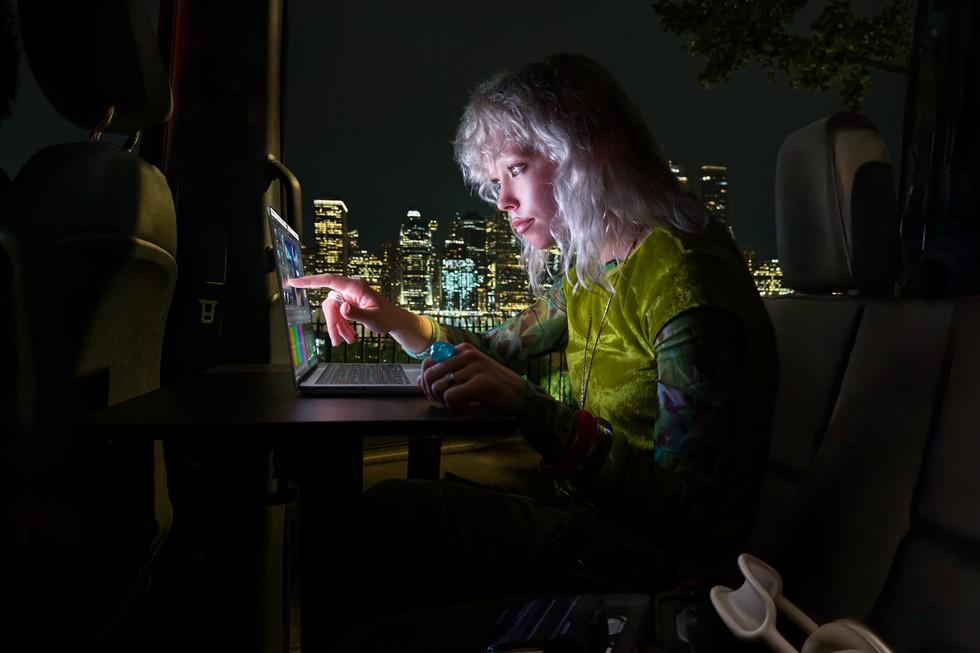
Press release of October 28, 2026: "It is available to pre-order starting today, October 28, with availability beginning Friday, November 6."; the 14-inch with M5 Pro "starts at $2,899 (U.S.)" and the 16-inch with M5 Pro "starts at $3,399 (U.S.)"; the article picture of a user working on the MacBook Pro with PROLED XDR Display in the dark with a bright cityscape behind them, used as the picture. Accessed November 7, 2026.
Saw something? Send a tip or a correction
The archive ran on reader tips. What did you see, where, and do you want the credit? Something wrong on this page? Say so and it gets fixed.